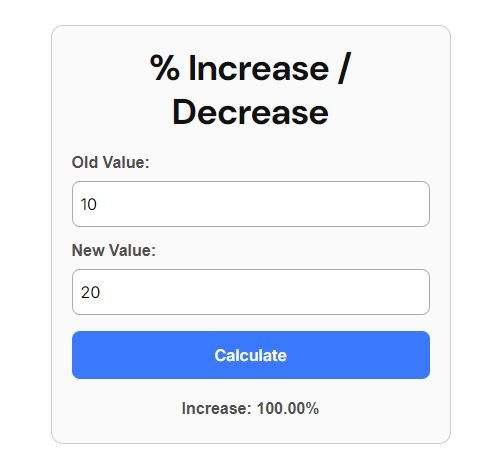
Stock Market Percentage Increase & Decrease(Profit & Loss) Calculator Online
📊 How to Use This Calculator for Stock Market
- Enter the Old Value (Buy Price)
- Type the price at which you bought the stock.
- Example: If you bought ₹3,000 → enter 3000.
- Enter the New Value (Current / Sell Price)
- Type the current market price or the price you sold at.
- Example: If now ₹3,600 → enter 3600.
- Click “Calculate”
- The calculator will show if it’s an Increase (Profit %) or a Decrease (Loss %).
- Interpret the Result
- Increase % → Your profit percentage.
- Decrease % → Your loss percentage.
- No Change → Price is same as buy price.
📌 When to Use the % Increase / Decrease Calculator in Stock Market
- Open Price vs Current Price
- To check how much the stock has moved today.
- Example: Stock opened at ₹100 → now ₹120 → +20% intraday move.
- Buy Price vs Current Price
- To know your profit or loss % from the price you entered.
- Example: You bought at ₹200 → now ₹180 → –10% (loss).
- 52-Week Low vs Current Price
- To measure how much the stock has risen from its lowest point of the year.
- Example: Low = ₹50 → Current = ₹100 → +100% rise from low.
- 52-Week High vs Current Price
- To check how much the stock has fallen from its highest point of the year.
- Example: High = ₹400 → Current = ₹300 → –25% fall from high.
- Quarterly/Yearly Comparison
- Compare company’s previous quarter EPS, revenue, or net profit with the current one.
- Example: Last year EPS = ₹10 → This year EPS = ₹12 → +20% growth.